

Description
SewART Digitizer Embroidery Software
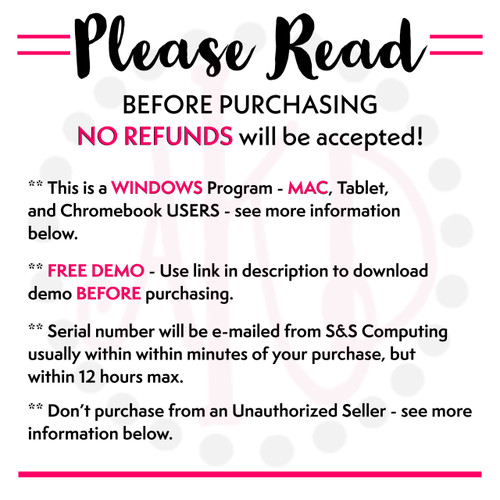
Please READ the following 5 bulleted items BEFORE PURCHASING - NO REFUNDS will be accepted! Program features are below the important notes.
** MAC Users - This program is made for Windows computers. An emulator is required to work on a MAC. Please e-mail me [customerservice@akdesignsboutique.com] for more information and the link to download on your MAC. DO NOT purchase until you've successfully installed and used the demo.
** Tablet and Chromebook users - This program WILL NOT work on Tablets or Chromebooks [with the exception of some Surface tablets].
** FREE DEMO - Please copy and paste the link below into your browser to download and install the trial version before purchasing.
https://www.sandscomputing.com/Applications/InstallSA.exe. After installation, select "Demo". No need to install again once you purchase it, the demo and retail downloads are the same. Once purchased, just register your trial version to gain access to the full retail version! It is highly recommended that you download the trial to ensure software is compatible with your computer. Because this free trial is offered, NO REFUNDS will be accepted!
** When will I receive the Serial Number email? The serial number will be e-mailed from S&S Computing usually within within minutes of your purchase, but within 12 hours max - it's a manual process. While your registration is being processed, the software is functional unless you have an expired demo version.
** Don't purchase from an Unauthorized Seller that's selling illegal registration numbers! This software is manufactured by S&S Computing and they only have select Authorized Resellers - they are all listed as scrolling images on the bottom of their home page - http://www.sandscomputing.com. If your registration information doesn't include YOUR name - you have an illegal serial number. I've been selling S&S Computing software since 2008, and my customers love how easy it is to use and that it's so inexpensive compared to other programs!

SewArt Features and Information
SewArt (SA) is an embroidery digitizer for converting raster image files (*.jpg/*.png, etc), vector images (*.svg, *.emf), and clipart into embroidery file formats. Image processing tools and a step-by-step wizard are provided to produce an image suitable for yielding a high-quality embroidery stitch-out.
The DOWNLOAD button above is for the DEMO and RETAIL version - they are the same - so you only need to install once!

Support Group Links - click here
Features of SewArt (an auto-digitizer for embroidery files)
- Reads raster or vector format images (supported input formats include *.bmp, *.png, *.jpg, *.gif, *.svg, *.wmf, and *.emf)
- Allows images in other (unsupported) file formats to be pasted into the SewArt workspace
- Converts images to high-quality embroidery files for sewing
- Supports output embroidery file formats including Brother (c) *.pes, Tajima (c) *.dst, Janome (c) *.jef, Melco (c) *.exp, Viking(c) *.hus New Pfaff (c) *.vip, Viking SE (c) *.vp3, and Singer (c) *.xxx (these may be converted by SewWhat-Pro, or other embroidery editors, to a larger variety of embroidery file formats compatible with most home and commercial machines)
- Contains image-processing tools for converting images into color-reduced, smoothed images suitable for digitizing
- Includes a variety of pattern fills which can be applied to sew individual regions of the image
- Supports both auto-digitizing and manual digitizing options to give substantial user control over the digitizing process
Q Is an Internet connection needed to run the software?
A The Demo does not require an Internet connection. However, the licensed (retail) version requires Internet access to register the software. Once the software is registered, Internet access is required – at least temporarily for the first several usages of the software – to verify the registration. After that, the software can be run entirely offline (without Internet access) if necessary. Internet access is, however, desirable to receive timely update information and download updates.
Demo Limitation:
- This is a demo version and intended to show what the software is capable of doing
- Demo is limited to 3 colors - but you can use the Palette tool, set it to 4 colors (including the background), to sew out the entire image
Getting Started
The help that accompanies SewArt contains a mini-tutorial that describes the steps necessary to load input image files and convert them to embroidery files. After opening SewArt by double-clicking the desktop icon, click the Help/Help Topics menu item. This will open the Getting Started main help page which presents a step-by-step tutorial for using the various features of SewArt.
Several image-processing tools are available in SewArt. In many cases, these will be necessary to use in order to reduce the color content and smooth the image file before it can be sewn. Usually, clipart images are already smooth enough to be sewn immediately, so these constitute a good set of images for starting to use the digitizing features of SewArt.
Once a suitable image has been obtained the auto-digitizing Sewing mode is entered by clicking the Convert toolbar button (the sewing-machine icon). This presents a stitching toolbar from which choices for pattern fills, stitch angles, etc., can be made. Options for auto-digitizing the entire image or just a single color, or manually sewing each color in the image, are available on this toolbar.
For simple, clean images the conversion process can take less than 5 minutes to complete. More complicated images will take longer and require use of the image conversion tools prior to producing the embroidery file.
INTERNATIONAL LANGUAGE SUPPORT
SewArt offers support for some languages other than English. To use this language support, download the appropriate language file(s) from the links below and save it in your S &S Computing/SewArt folder. Open SewArt and click the Options menu item Language Support and choose the desired language there.
Country Language File
Denmark SewArtDAN
France SewArtFRA
Netherlands SewArtNLD
Portugal (Brazil) SewArtPTG
System, Download & Install Help:
System Requirements for S&S Computing Software Products
All S&S Computing software products are native Windows® applications. They will run on versions of the Windows OS (Operating System) including XP (SP3 must be installed), VISTA, Windows 7, 8, 8.1 and 10.
For information describing installation of our software on a MAC computer (Intel-based, OS-X), click on this link.
Embroidery Machine Compatibility - This software installs on your computer and is compatible with most home, commercial and industrial machines. See our "Supported File Types" table to make sure that your format/machine type is listed.
Updates / Reinstall for all S&S Computing Software Products:
Update:
All software products offered by S & S Computing come with a free update policy for the lifetime of the product. AutoUpdate features on the Help menu of our products will inform you when updates are available for download. You can then update from within the open product.
Reinstall:
If you get a new computer or your computer crashes in the future, you can just come back to AKDesignsBoutique.com, download the software again from the Embroidery Software Download page - click here - and enter your user name & serial number - you will not need to purchase again. If you can't find your serial number, you can send us an e-mail [customerservice@akdesignsboutique.com] and we'll send it to you again.
REGISTRATION INFORMATION:
Registration/Serial # will be e-mailed from S&S Computing after purchase – usually within minutes, but you’ll never wait more than 12 hours. Registrations are sent at least once daily after 4:00 pm EST. To allow uninterrupted usage of the product, it is advisable to order the product at least 1 day before the DEMO period expires.
If you do not receive your registration within 12 hours, then check that the e-mail address support@sandscomputing.com is "whitelisted" so it will not be blocked by your e-mail client. This is accomplished by adding our e-mail address to a safe senders list so your registration e-mail is allowed to come safely into your Inbox. You can send us an e-mail [customerservice@akdesignsboutique.com] or call at anytime to check on your order - 678-390-2641.
Shipping for S&S Computing Software Products:
We offer shipping of CDs (within the US only) for an additional $17.00. Click on the "CD by Mail [add $17.00]" button in the Add-to-Cart area to order a CD for any of the S&S Computing products. Shipping is via USPS First Class delivery and usually requires 7-14 days for delivery [shipped by S&S Computing, not AKDesigns Boutique].
Terms of Use for S&S Computing Products:
All S&S Computing product licenses allow you to use the software on up to - but no more than - two of your own computers.
Return Policy for S&S Computing Products:
All sales are final - No Refund for ANY reason. S&S Computing software can be downloaded and trialed in Demo mode before purchasing a license by using the Download buttons on the product pages.
Click HERE to see Current Sales